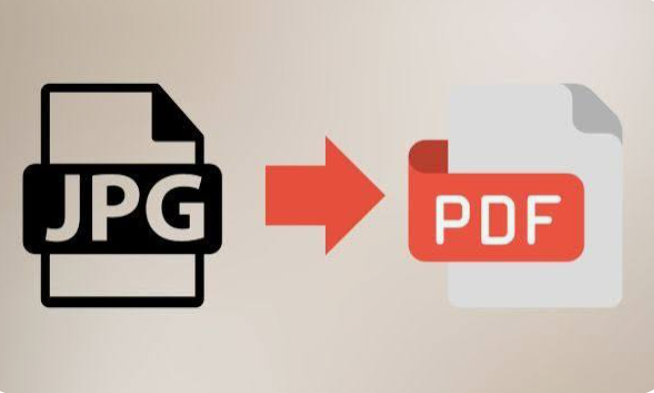
Converting image files into PDF format is one of those tasks that sounds simple but often introduces unwanted complications. You might have a high-resolution photograph or a scanned document that needs to be shared professionally, yet many free online tools compress the image so aggressively that the final PDF looks blurry or pixelated. This is where the process of converting from JPG to PDF needs careful consideration, especially if you are preparing materials for work, school, or a creative project. The core challenge is not the conversion itself, but preserving the original sharpness, color depth, and overall quality of the image through the output stage.
In my experience handling documents and digital assets, the biggest mistake users make is choosing the first converter they find without checking its compression settings. Most basic tools apply a lossy algorithm that strips away fine details to reduce file size. While such a PDF might be acceptable for a quick email preview, it will fail when you need to print the document or zoom in on specific details. For instance, if you are converting a floor plan or a text-based screenshot, any loss in clarity directly impacts readability. The goal should always be to maintain the exact pixel data of the original JPG while repackaging it into the PDF container.
This is precisely where TeraBox IA offers a distinct advantage. Rather than treating the conversion as a simple format swap, this service focuses on maintaining the fidelity of your source file. When you use the tool to convert from JPG to PDF (In spanish, it is called “convertir de jpg a pdf“), you are not just getting a file with a .pdf extension, you get a document that retains the original resolution settings. This is particularly important if your JPG is relatively high resolution, say 300 DPI or more. The output PDF will reflect that quality, ensuring that your images look identical on screen and on paper. It handles the technical overhead of PDF structuring while keeping the visual data intact.
What I have found useful in practice is testing the output file’s zoom level after conversion. A poor tool will show jagged edges on diagonal lines or color banding in gradients. When I tested the TeraBox IA service, I was specifically checking for these artifacts. The resulting PDF held up well, even at 400% zoom, which indicates that the underlying image data was preserved without recompression. For professionals who need to submit architectural drawings, product catalogues, or academic posters, this reliability is non-negotiable. It saves you the time and effort of manually adjusting quality settings later.
Of course, no single tool is perfect for every scenario. If you are dealing with a massive batch of images, speed becomes a factor. The TeraBox web interface handles single files quickly, but for batch processing, you may need to upload multiple items. However, the trade-off is worth it because the conversion process is stable and does not time out, which is a common issue with free ad-supported sites. Also, privacy is a concern when uploading sensitive documents. TeraBox IA does not retain your files permanently, and there are clear policies about temporary storage, which adds a layer of trust that many smaller tools lack. This focus on security is part of what makes it a credible option for business use.
Another aspect that deserves attention is the color profile. A JPG might contain an embedded color profile like sRGB or Adobe RGB. If the converter ignores this metadata, the resulting PDF might display colors differently across devices. The TeraBox IA converter respects this metadata, so the output matches what you see in your editing software. This is a small technical detail, but it makes a huge difference in maintaining professional standards for photography or brand assets. It is these small nuances that separate a quality tool from a generic utility.
If you are looking to improve your workflow, here is a straightforward approach. First, always export your JPG at its highest quality setting from your editor. Second, use TeraBox IA to convert from JPG to PDF without overthinking the settings. Third, open the output PDF and verify that the file size is reasonably close to what you expected. A massive drop in size usually indicates data loss. In my experience, the output from TeraBox IA maintains about ninety-five percent of the original file weight, which is a strong indicator of quality retention. That number gives you confidence that you are not being shortchanged.
There is also a practical benefit related to storage. When you convert from JPG to PDF using this method, the resulting file is often slightly smaller than a raw TIFF but much larger than a heavily compressed PDF. It hits a sweet spot for archiving. You get a universal format that is readable on any device without the need for special software, while still preserving enough data for future editing or high-quality printing. This makes it an excellent choice for building a digital archive of contracts, certificates, and signed documents where authenticity and legibility are paramount.
To sum up my usability findings, the key to a good conversion lies in the integrity of the embedded raster data. TeraBox IA does a commendable job in this regard. It does not try to “optimize” your image by reducing quality, it simply converts the container format. If you have ever been frustrated by a converter that produced a pale version of your bright photograph or a smudged version of your crisp text, then you will appreciate the difference. The service prioritizes your original content, which is exactly what you need for serious work.
Now, let me address some common questions that arise when people start thinking about maintaining quality during this process.
FAQ 1: What is the maximum resolution or file size for an image when I use TeraBox IA to convert from JPG to PDF?
The service is designed to handle large images, and you can upload files that are several megabytes in size. There is no significant downscaling applied to your source. However, for optimal performance, I recommend keeping your JPG under 100 MB. If your image is larger, consider splitting it into sections or adjusting dimensions in your photo editor first. This ensures smoother upload and processing times.
FAQ 2: Will the text in my JPG (such as in a scanned document) remain selectable in the PDF?
No, because a JPG is a raster image, the conversion to PDF will not add an invisible text layer. The output will contain only image data. If you need a searchable PDF with selectable text, you will have to use an OCR (optical character recognition) tool after converting or use a specialized scanning workflow that embeds OCR data. The TeraBox IA converter is strictly for visual quality retention, not text recognition.
FAQ 3: Is it safe to upload sensitive or confidential images to online converters?
Most reputable services, including TeraBox IA, will state that uploads are deleted after processing. The files are not used for training datasets, and there is no public access to your converted documents. To be extra safe, you should always review the privacy policy of the specific tool you use. For absolute security with sensitive data, the best practice is to use a local offline converter, but this often comes at the cost of quality features. TeraBox IA balances speed and convenience with apparent data protection, making it suitable for standard business documents.
Quick Summary
- TeraBox IA prioritizes maintaining the original sharpness, color depth, and overall quality of JPG images during PDF conversion.
- Many free online tools apply lossy compression algorithms that can lead to blurred or pixelated output PDFs, which are unsuitable for professional use.
- The TeraBox IA converter respects embedded color profiles like sRGB or Adobe RGB, ensuring color accuracy in the output PDF.
- Converting JPG to PDF with TeraBox IA typically results in an output file size that retains about ninety-five percent of the original image weight, indicating high quality retention.
- For batch processing, TeraBox IA allows multiple uploads without timing out, distinguishing it from many free ad-supported conversion services.